firefox -no-remote. That's all :)
20100228
Firefox over SSH/X11
I always had troubles calling firefox over ssh if the session was started from another unix-like machine. For example if call firefox in the remote shell, it starts but it is a local instance, not remote. So i found this solution to fix this issue, calling the firefox command with "no-remote" option:


20100214
Kill a process with ease in Opensolaris
Opensolaris has a nice command to kill process by name:
pkill. So if you know the process name like firefox-bin it's easy to kill it running pkill firefox-bin. If you don't know the name of the process follow these steps:ps -ef | grep -i proc_name_to_look_forkill -9 PID_Of_process_found
20100202
Nimbus theme with Gnome in GNU/Linux
I was looking for a good theme for Gnome on my gnu/linux distro and opensolaris theme called Nimbus is really cool as you can see.
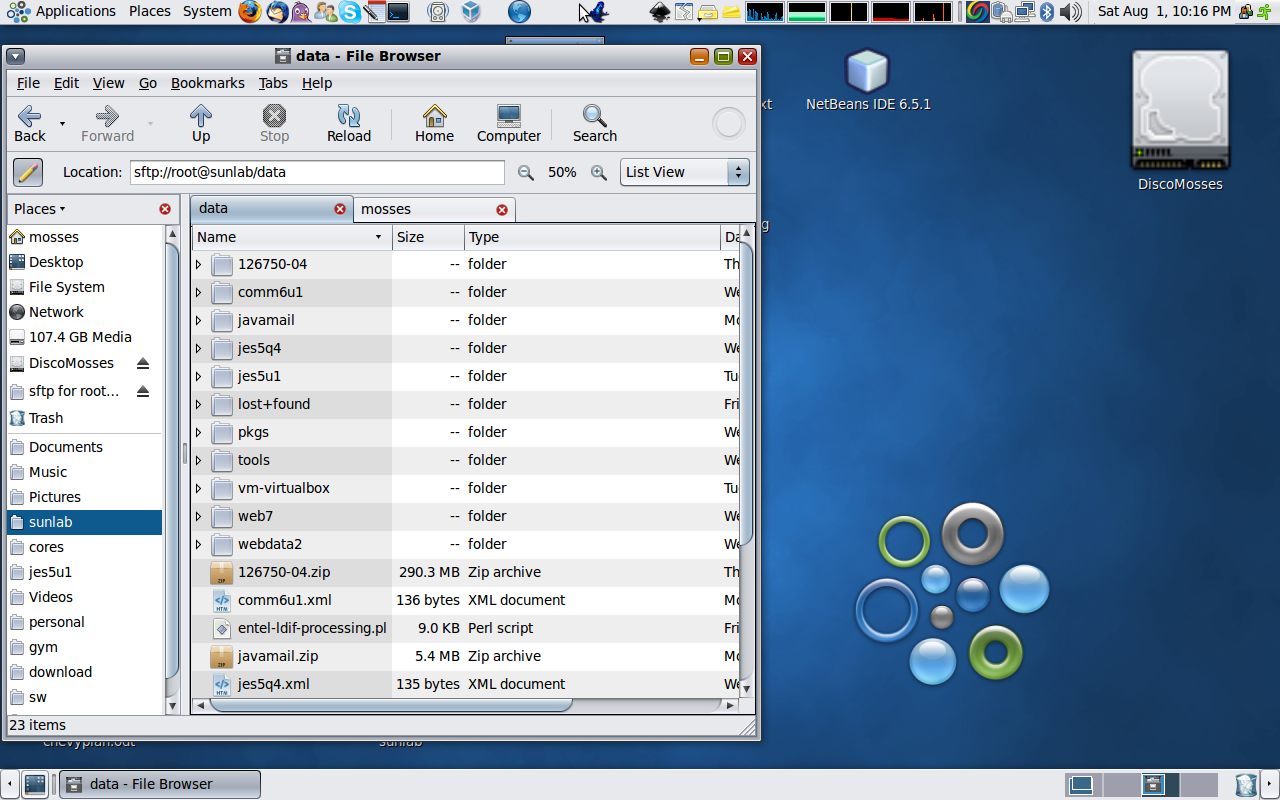
To install this theme it i followed these steps:
To install this theme it i followed these steps:
- Open a terminal and get the latest nimbus theme and extract it:
wget http://dlc.sun.com/osol/jds/downloads/extras/nimbus/nimbus-0.1.4.tar.bz2. So this url contains all versions of this theme. To extract:tar -jxvf nimbus-0.1.4.tar.bz2 - After package extraction enter in the extracted directory and it should be possible to run:
./configure --prefix=/usr. I've used the prefix /usr because my themes dir is in /usr/share and not in /usr/local/share. Check where is your themes directory before run configure and then set the right prefix! - Run
makeandmake installas privileged user. - Go to the appearance settings in Gnome and you should be able to find the Nimbus theme with its variants.
20100128
SMF - Service Management Facility administration
Sun Solaris 10, Opensolaris and successors have a new mechanism to manage services: SMF. So the first thing you could notice is that there are no more /etc/rc?.d but only a daemon that you have to use to start all the services you need. Infact /etc/rc?.d and /etc/inetd.conf are empty! The first issue I found running Opensolaris was to start gdm daemon and login in text mode: I kill it from a gui terminal emulator but gdm has restarted soon soon! So, how to stop it?!?! It is necessary to use SMF administration commands(svcs | svcadm | svccfg):
- svcs: print the state of all services and for each service it is possible to see its dependencies from other services, including reasons for failure.
Examples:
marco@IbmSolaris:~$ svcs -l hal

fmri         svc:/system/hal:default

nome         Hardware Abstraction Layer daemon

abilitato    vero

stato        online

next_state   none

state_time   05 gennaio 2010  1:11:51 CET

logfile      /var/svc/log/system-hal:default.log

programma di riavviosvc:/system/svc/restarter:

default contract_id  62

dependency   require_all/none svc:/system/filesystem/local (online)

dependency   require_all/none svc:/system/device/local (online)

dependency   require_all/none svc:/system/dbus (online)


marco@IbmSolaris:~$ svcs -x hal

svc:/system/hal:default (Hardware Abstraction Layer daemon)

Stato: online da 05 gennaio 2010  1:11:51 CET

Vedere: hal(1M

Vedere: /var/svc/log/system-hal:default.log

Impatto: nessuno.


marco@IbmSolaris:~$ svcs -d hal

STATE          STIME    FMRI

online         gen_05   svc:/system/device/local:default

online         gen_05   svc:/system/filesystem/local:default

online         gen_05   svc:/system/dbus:default


marco@IbmSolaris:~$ svcs -D hal

STATE          STIME    FMRI

disabled       gen_05   svc:/network/device-discovery/printers:snmp

online         gen_05   svc:/system/filesystem/rmvolmgr:default

online         gen_05   svc:/application/graphical-login/gdm:default
For more usesvcs -?or see man page.
- svcadm: to manipulate (enable/disable/restart/refresh/milestone/clear) services.
marco@IbmSolaris:~$ svcadm restart apache2 - svccfg: to import, export, and modify service configurations repository(with XML). It is possible to call it in interactive mode(for exmaple run it wihtout parameters).
Notice that for both commands it is possible to pass the name of the service in different name forms according to the service's FMRI (Fault Managed Resource Identifier).
20100127
My shell doesn't get inputs!
It could happen that, after system upgrade or "hacking", your terminal emulator like gnome-terminal maybe presents a message like this:
The solution may be the following: it is necessary to check the rights on pseudo terminal pseudo-device:
If the output you get is not the same like this
you should be able to use xterm to change them. See
readline: warning turning off output flushingThe solution may be the following: it is necessary to check the rights on pseudo terminal pseudo-device:
marco@IbmSolaris:~$ ls -lL /dev/ptmx If the output you get is not the same like this
crw-rw-rw- 1 root sys 11, 8 2010-01-26 15:31 /dev/ptmxyou should be able to use xterm to change them. See
man pty for more.
Subscribe to:
Posts (Atom)